
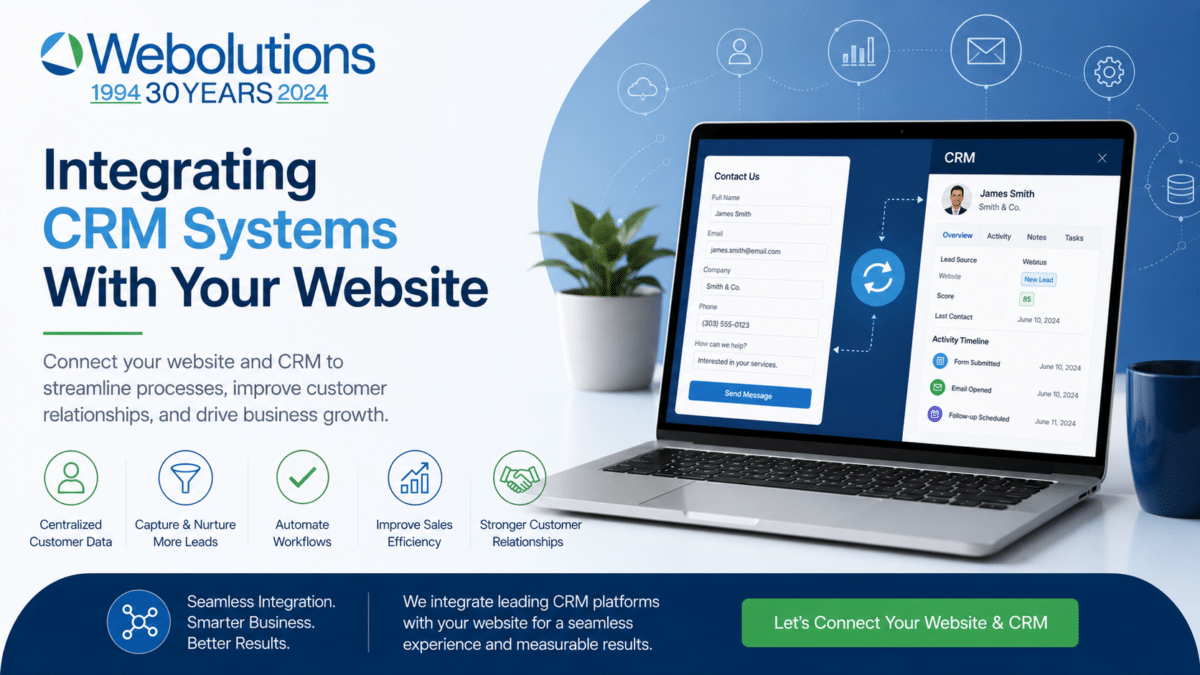
Integrating a CRM system with a business website allows organizations to automatically capture, organize, and manage leads generated through online marketing. Businesses working with Webolutions web design and digital marketing often implement CRM integration to connect website inquiries directly to sales and marketing systems, eliminating manual data entry and improving response speed. Website-to-CRM integration improves lead tracking, follow-up efficiency, and sales visibility by connecting form submissions, marketing campaigns, and customer data into a unified platform. Companies that integrate their websites with CRM platforms typically improve response times, lead quality, and overall marketing effectiveness while gaining clearer insight into marketing performance and sales outcomes.
Introduction: Turning Website Inquiries Into Managed Opportunities
For many businesses, the website is the primary source of new inquiries. Contact forms, consultation requests, downloads, and other conversion points generate leads that must be tracked and managed effectively.
Without CRM integration, website leads are often handled manually. Form submissions typically arrive by email, requiring staff to copy information into spreadsheets or CRM systems.
Manual handling creates risk.
Common problems include:
-
Lost inquiries
-
Delayed follow-up
-
Incomplete records
-
Inconsistent communication
-
Limited reporting visibility
Manual processes consume time and introduce avoidable errors.
CRM integration connects the website directly to lead management systems so that information flows automatically into structured records.
Automated systems improve reliability.
Reliable systems improve operations.
Efficient lead management supports long-term growth.
What CRM Integration Means
CRM integration connects a website with a customer relationship management platform so that data collected online becomes immediately available to marketing and sales teams.
When visitors submit forms, their information is automatically recorded inside the CRM.
Typical CRM-integrated websites automatically capture:
-
Contact information
-
Company details
-
Service interests
-
Inquiry descriptions
-
Source information
-
Campaign data
This information becomes immediately accessible to the sales team.
Integrated systems provide visibility into the entire lead lifecycle—from initial inquiry through closed business.
Lifecycle visibility improves decision-making because businesses can see which marketing efforts produce real opportunities.
CRM integration turns website inquiries into structured business data rather than isolated messages.
The Role of CRM Systems in Modern Marketing and Sales
CRM systems function as central hubs for managing customer relationships.
Typical CRM capabilities include:
-
Lead tracking
-
Contact management
-
Sales pipeline visibility
-
Communication history
-
Task management
-
Reporting and forecasting
When the website connects directly to the CRM, marketing and sales systems become coordinated.
Coordinated systems improve efficiency.
Efficiency supports growth.
The website becomes part of the sales infrastructure rather than simply a marketing tool.
Integrated systems allow teams to respond consistently and maintain organized records across the entire customer lifecycle.
Automatic Lead Capture Improves Reliability
Automatic lead capture is one of the most immediate benefits of CRM integration.
When a visitor submits a form, the information is automatically recorded in the CRM system without manual intervention.
Automated capture reduces risk.
Manual entry introduces errors.
Automated systems ensure consistent data collection across all inquiries.
Reliable data improves marketing analysis because records are complete and standardized.
Reliable systems improve operational efficiency by eliminating repetitive administrative tasks.
Automatic capture ensures that inquiries are never overlooked due to human error.
Faster Response Improves Conversion Rates
Response time plays a major role in lead conversion.
Organizations that respond quickly often achieve higher closing rates because prospects remain engaged.
CRM integration supports faster responses through:
-
Instant notifications to sales staff
-
Automatic lead assignment
-
Task creation
-
Follow-up reminders
-
Workflow triggers
Automated notifications reduce delays.
Faster response improves customer experience.
Improved customer experience supports conversion.
Businesses that respond consistently and quickly often gain a competitive advantage over slower competitors.
Improved Lead Organization
CRM integration improves how businesses organize and manage inquiries.
Organized systems allow teams to:
-
Track prospects through the pipeline
-
Assign responsibility
-
Monitor opportunity status
-
Schedule follow-ups
Organized lead management improves accountability because each inquiry has a defined owner and next step.
Accountability improves consistency.
Consistent follow-up improves results.
Disorganized lead handling often results in missed opportunities and lost revenue.
Integrated CRM systems help ensure that every inquiry receives appropriate attention.
Better Marketing Tracking and Attribution
CRM integration improves marketing visibility by connecting website activity to business outcomes.
Integrated systems can track:
-
Lead sources
-
Campaign performance
-
Conversion paths
-
Lead quality
-
Sales outcomes
Understanding lead sources helps businesses allocate marketing resources more effectively.
Better tracking improves decision-making.
Data-driven marketing produces stronger results.
CRM integration connects marketing activity with sales outcomes, allowing businesses to identify which campaigns generate qualified opportunities.
This connection is often essential for improving long-term marketing performance.
Improved Sales Visibility
CRM-integrated websites provide clear visibility into the sales pipeline.
Sales teams can see:
-
New inquiries
-
Lead status
-
Communication history
-
Next steps
-
Opportunity values
Improved visibility helps teams manage opportunities more effectively.
Clear pipelines improve forecasting accuracy.
Accurate forecasting supports planning and resource allocation.
Sales visibility improves business management by turning inquiries into measurable pipeline activity.
Organizations with clear pipeline visibility typically make better strategic decisions.
Custom Forms Improve Lead Quality
CRM integration often enables custom form development that improves lead qualification.
Custom forms can collect information such as:
-
Project requirements
-
Budget ranges
-
Timeline expectations
-
Technical considerations
-
Service interests
Better information improves lead quality.
Qualified leads improve sales efficiency.
Better qualification improves closing rates.
Custom forms allow businesses to gather relevant information before the first conversation.
Structured intake reduces time spent on unqualified inquiries.
Advanced forms often require custom development to align with CRM data structures and workflows.
Marketing Automation Integration
Many CRM platforms include marketing automation capabilities.
Automation features may include:
-
Email sequences
-
Lead nurturing campaigns
-
Follow-up reminders
-
Educational content delivery
Website integration allows automation to begin immediately after a lead is captured.
Automation supports consistent communication.
Consistent communication builds relationships over time.
Relationship development supports long-term growth.
Automation also ensures that prospects receive timely follow-up even when sales teams are busy.
CRM Integration Improves Customer Experience
Integrated systems improve customer experience by creating consistent communication.
Prospects benefit from:
-
Faster responses
-
More relevant communication
-
Better coordination between teams
-
Clear follow-up processes
Improved experiences build trust.
Trust supports engagement.
Positive experiences strengthen reputation.
Professional communication reflects organizational maturity and reliability.
CRM integration helps businesses deliver consistent experiences across all customer interactions.
Data Accuracy Improves Decision-Making
Accurate data supports better business decisions.
CRM integration improves data quality by:
-
Eliminating manual entry
-
Standardizing form fields
-
Reducing transcription errors
-
Maintaining complete records
Better data supports better analysis.
Better analysis supports better decisions.
Data-driven decisions improve marketing effectiveness and sales efficiency.
Organizations with accurate CRM data often identify improvement opportunities faster than competitors relying on incomplete records.
Basic Integration vs Custom Integration
Some CRM integrations rely on basic plugins or form connectors.
Basic integrations may support:
-
Simple form submission
-
Basic contact creation
-
Standard field mapping
Custom integration may support:
-
Advanced workflows
-
Multi-step forms
-
Custom fields
-
Automated routing
-
API connections
-
Multi-system synchronization
Complex organizations often require custom integration to support real workflows.
Custom integration improves flexibility.
Flexible systems support growth.
Organizations with structured sales processes often benefit most from custom integration.
Common CRM Platforms
Many CRM platforms support website integration.
Common examples include:
-
Salesforce
-
HubSpot
-
Zoho CRM
-
Microsoft Dynamics
-
Pipedrive
Most modern CRM systems provide integration tools and APIs.
Integration complexity varies depending on the platform and workflow requirements.
Professional development improves integration reliability and scalability.
Well-designed integrations remain stable as businesses grow.
Security Considerations
CRM integration involves transferring sensitive customer data.
Security considerations include:
-
Secure connections
-
Data encryption
-
Access controls
-
Authentication protocols
Secure integration protects customer information and business operations.
Security supports credibility.
Reliable systems support trust.
Professional implementation reduces the risk of data exposure or system failures.
Security planning is an essential part of CRM integration.
Scalability Benefits
CRM-integrated websites support long-term growth.
As businesses grow, integrated systems support:
-
Higher lead volume
-
Larger sales teams
-
More marketing campaigns
-
Expanded customer bases
Scalable systems reduce operational friction.
Reduced friction supports growth.
Integrated systems allow organizations to expand without increasing administrative overhead proportionally.
CRM integration often becomes more valuable as lead volume increases.
Common CRM Integration Mistakes
Manual Lead Entry
Manual processes introduce errors and delays.
Automation improves reliability.
Incomplete Data Capture
Missing data reduces CRM usefulness.
Structured forms improve data quality.
Poor Workflow Design
Unclear workflows reduce effectiveness.
Structured workflows improve results.
Weak Tracking
Incomplete tracking reduces marketing insight.
Integrated tracking improves analysis.
FAQ
Do all business websites need CRM integration?
Many businesses benefit from CRM integration, particularly those that rely on lead generation and structured sales pipelines.
Is CRM integration difficult?
Basic integrations are often straightforward. Complex integrations may require custom development and planning.
Does CRM integration improve lead generation?
CRM integration improves lead management and response time, which often increases conversion rates.
Can CRM integration work with WordPress?
Yes. Many WordPress websites integrate with CRM systems through plugins or custom development.
Closing Insight
CRM integration transforms a website from a lead source into a fully connected marketing and sales system.
Businesses that integrate their websites with CRM platforms typically improve lead tracking, response times, and marketing visibility.
When website functionality aligns with sales systems, the website becomes a reliable engine for sustained business growth.

Drawing from experience in web design, SEO, and digital marketing strategy, these articles are designed to help business leaders move beyond fragmented tactics and toward a more structured, performance-driven approach to digital marketing.Vargo was awarded 2019 Top SEO Consultants in the U.S..Learn more about John Vargo.
- Case Study: Denver B2B Growth Through Digital Strategy and Content - August 11, 2026
- What Separates Average Websites From Great Websites - August 7, 2026
- Case Study: Local SEO Transformed a Denver Service Business - August 6, 2026